
Last update July 22, 2026
Overview
Pinterest is the social of ideas, inspiration, and above all, product discovery. In this article, we will discuss how to sell on Pinterest and what are the best-embedded tool you can use to improve your reach, brand awareness, and, of course, increase your sales.
Keep reading to know more.
Step 0: understand Pinterest’s key features
Why you should sell on Pinterest?
If you’re here, you probably already have an idea of why you should start posting and selling on Pinterest. However, before setting up your Pinterest business account and start populating your Pin Boards, you need to be aware of the key features you must leverage to devise a good marketing strategy.
First of all, Pinterest is the social of ideas, inspiration, and above all, product discovery.
Although Pinterest may not look like a sales platform or a social media that may attract potential buyers, it provides many functions and features that help sellers find potential customers and drive traffic to marketplaces and/or websites.
Pinterest already knows users’ tastes
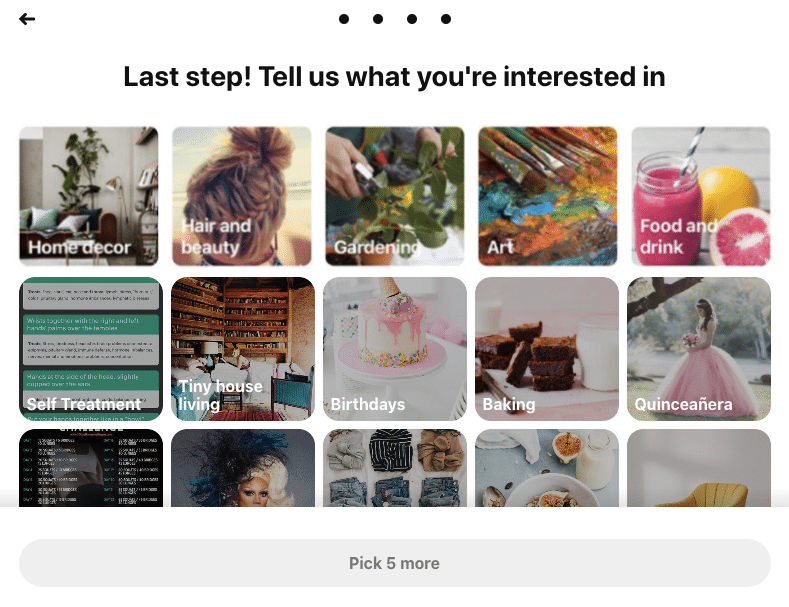
From the first steps during the account setup and registration, Pinterest asks users to express their preferences and select their preferred topics. Once the algorithm understands the users’ tastes, it starts populating the dashboard with images of products the user may be interested in. This feature enables you to explore not only popular trends but also gain insights into the keywords your competitors are focusing on and what keywords you should target.
Pinterest is provided with a dedicated Shopping section
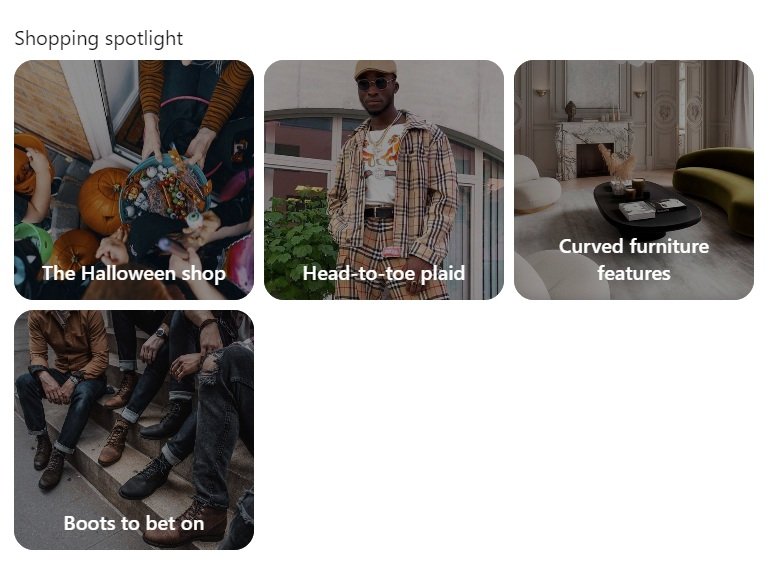
The Shopping Spotlights section is a board of products automatically generated by Pinterest on the basis of your and your customers’ saved pins. Being featured here means you can reach potential customers.
Pinterest is a visual platform
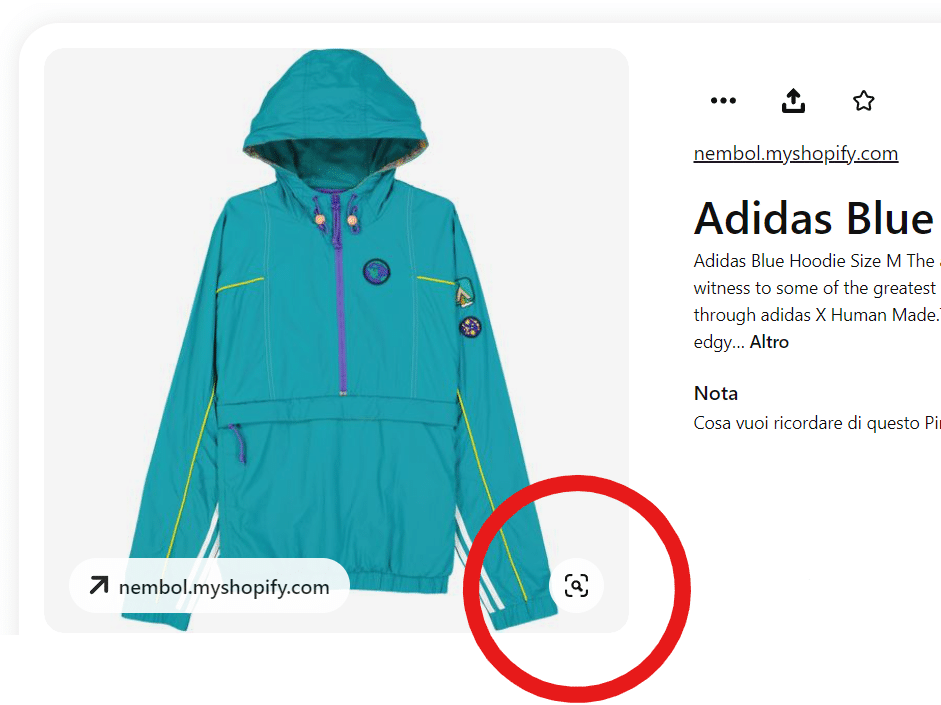
Don’t forget that on this social your images and videos have a core importance. Thanks to functions such the visual research tool, users can find similar products to the ones they may already like. This feature eases the navigation and helps users find the best fit.
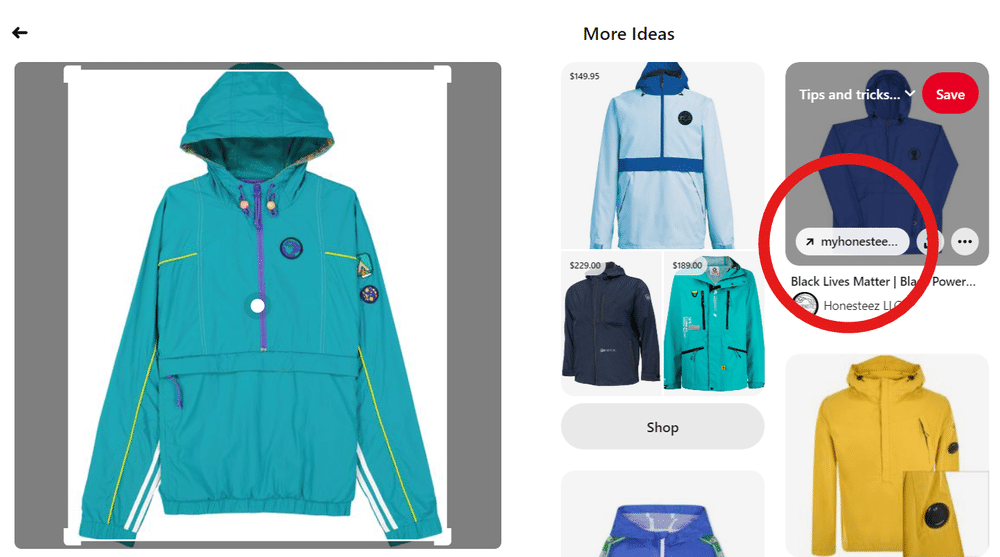
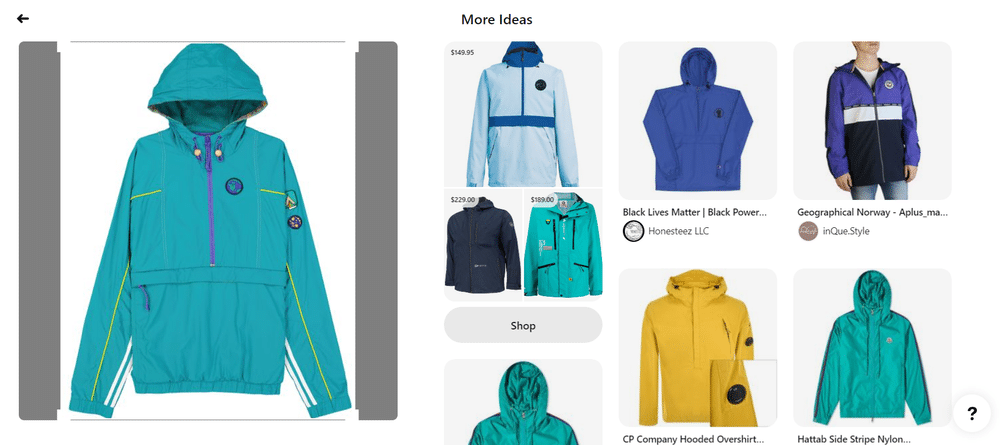
As you can see in the image above:
- Pinterest recognizes that the Pin is displayed as a jacket, and it offers logical filter alternatives.
- When a user taps “Visit” gets automatically connected to the external website linked to the picture.
The ready-to-buy visitors are directed straight to the website or marketplace listing.
Visual research is a powerful tool that can boost your reach and can drive you to your store buyers with a high purchasing intention. Investing in catchy and high-quality images/videos is the key to start making money on Pinterest when selling.
Step 1: Create a Pinterest business account
On Pinterest, it exists two types of accounts: personal and business. While personal accounts can only publish and save standard Pins, business accounts are provided with many functions, such as:
- Different Pin formats
- Adverting features
- Analytics and a business hub
Even if you are a seller, you can still post your products using a personal account. In any case, you are encouraged to open a business account, especially considering it is completely free and gives you access to features that can come in handy while running your business.
To create a business account on Pinterest you need to:
- Go to Pinterest
- Choose your language and location
- Enter your business name, info, and your goals as a seller
- Connect your other social platforms
- Determine whether you want to run advertisements on Pinterest
- Edit your profile
- Claim your website analytics
- Start creating and pinning.
Step 2: start listing on Pinterest
Now that you know how to set up your Pinterest business account, you’re probably wondering: how can I list my products on Pinterest? And how those listings can help you drive sales to your business?
First of all, decide whether to create:
- Pins: these are the Pinterest listing format. Each picture = 1 pin. Those are the things that you create, you can assign a name, description, link, and alt-texts to all of them.
- Boards. Those are like big hubs, collections of your pins. You can create them by category, for example, if you sell jewelry, you can create boards named “rings” or “necklaces” and use them to collect and organize all your pins with the same topic.
To create a Pin, you need to:
- Log in to your Pinterest account
- Click on the “Create” button in the header
- Click on create “Create Pin”
- Add the pin details that will help improve the search engine positioning of your pin. Fill in the necessary details for your pin: a title, description, website link, and tags.
- Upload a high-quality image or video: use catchy images, making sure to optimize image resolution and size (resolution: 1000 px wide x 1500 px tall; aspect ratio: 2 wide : 3 tall).
- Choose a board: Select the board where you want to save your pin.
- Publish your pin and start selling on Pinterest!
Step 3: bulk create pins on Pinterest
As a seller, you may already have your products listed on marketplaces or ecommerce platforms. For you, having to recreate each listing as a Pin can be burdensome and time-consuming.
So how to sell on Pinterest without having to re-create manually all your listings?
Use Nembol!
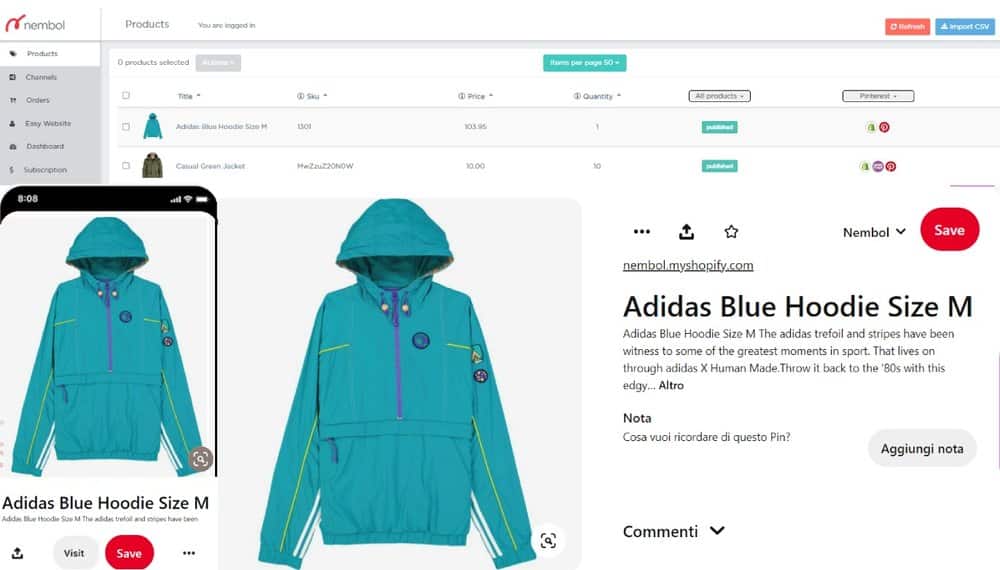
Nembol can ease the whole process and let you share all your multichannel listings as Pins!
To do so:
- Log into Nembol
- Import your multichannel products in Nembol
- Bulk-select your listings
- Click on Actions > Publish > Pinterest.
In a matter of seconds, your products will be bulk-listed on Pinterest with a redirect link to your source sale channel.
Learn how to sell multichannel: get free education, tips, and inspiration. Start growing your successful multichannel business.
By entering your email address, you accept our Privacy Policy and Terms of Use. Totally free. Unsubscribe at any time.
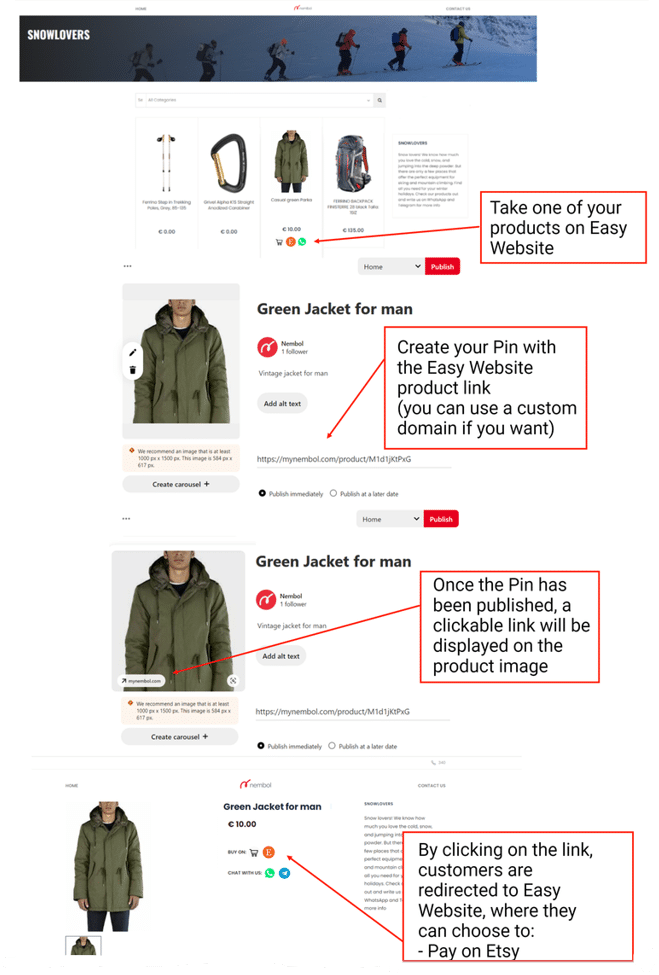
How to sell on Pinterest without a website
Sell on Pinterest with Nembol Storefront
Selling on Pinterest does not necessarily require building a traditional ecommerce website from scratch.
If you already sell on marketplaces like eBay, Etsy, Amazon, or TikTok Shop, Nembol helps you turn your existing product catalog into a branded online store with Nembol Storefront.
Storefront is a mobile-friendly ecommerce website generated from your multichannel listings. It includes a product catalog, shopping cart, secure checkout, and direct connections to your marketplace products.
Instead of sending Pinterest visitors only to marketplace listings, you can direct them to your own branded sales channel while keeping full control over your:
- Brand identity
- Product presentation
- Customer experience
- Checkout process.
What is Nembol Storefront, and how does it work?
Nembol Storefront automatically transforms your existing multichannel catalog into an online store.
You can:
- Import products from marketplaces and ecommerce platforms connected to Nembol
- Generate your Storefront with your product catalog
- Customize your store appearance and branding
- Connect payment providers like Stripe or PayPal
- Share your Storefront link across Pinterest, social media, and other channels.
Each product page can become a destination for Pinterest traffic, allowing customers to discover your products, add them to their cart, and complete purchases directly through your own branded channel.
Try Nembol for free: enjoy a 14-day trial
No credit card required